Product

Built around how you already work.

Fenario centralizes field service management (FSM) and ERP in one portal, set up for your industry. Every project starts from your process. Here's what we build, and what your portal can do on day one.

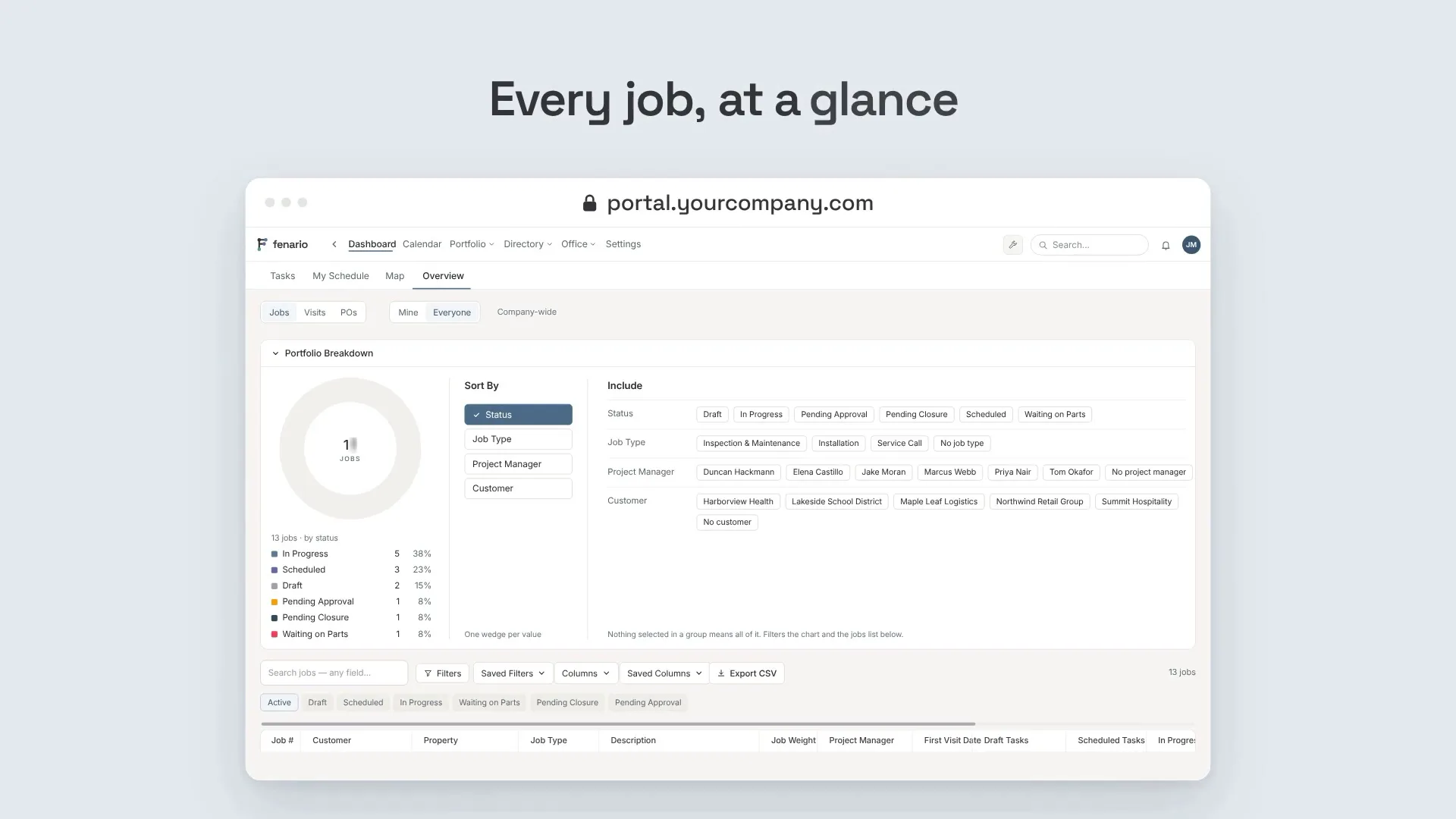
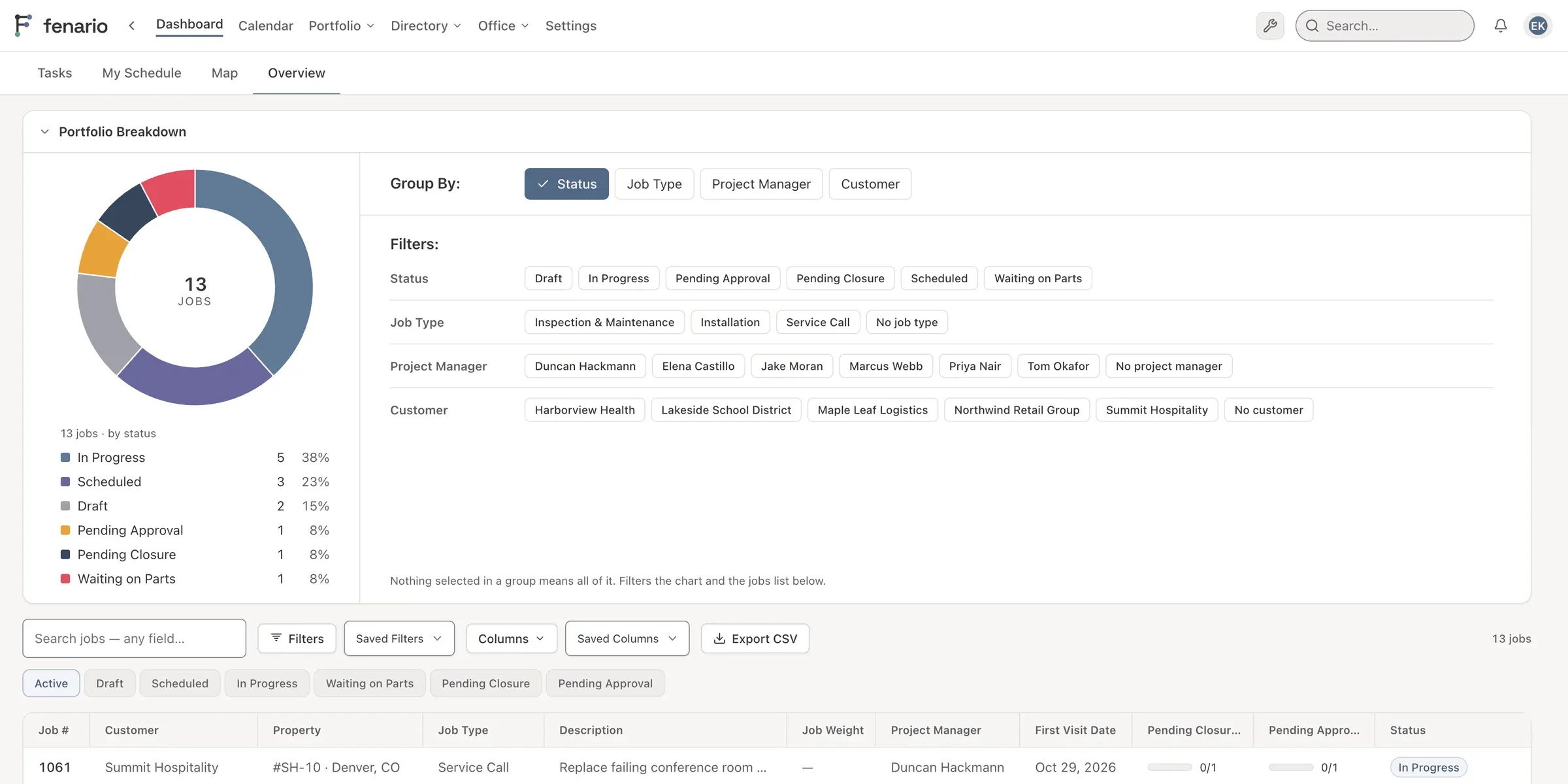
Fenario portfolio breakdown on a computer: jobs by status in a donut chart, with Group By and Filters
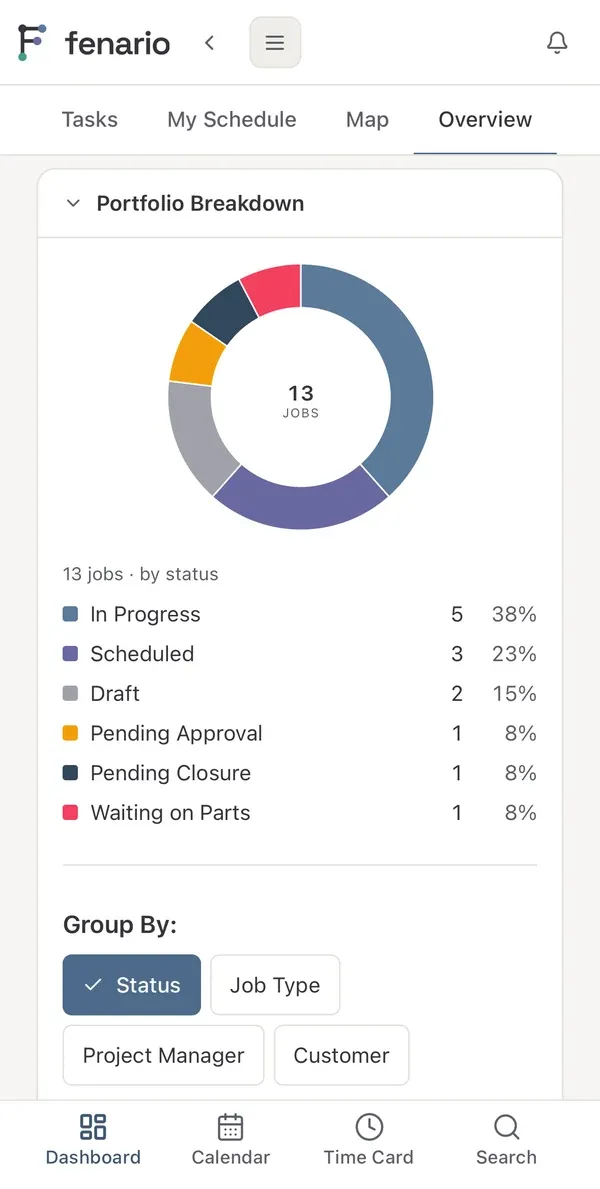
The same portfolio breakdown on a phone

Services

What we build for you

Your portal

Everything in one place

Your whole workflow in one portal. We bring your old data over when you start, and the spreadsheets your team keeps today become part of the portal.

  • One sign-in for every tool
  • Your existing records moved in for you
  • Your spreadsheets built into the portal
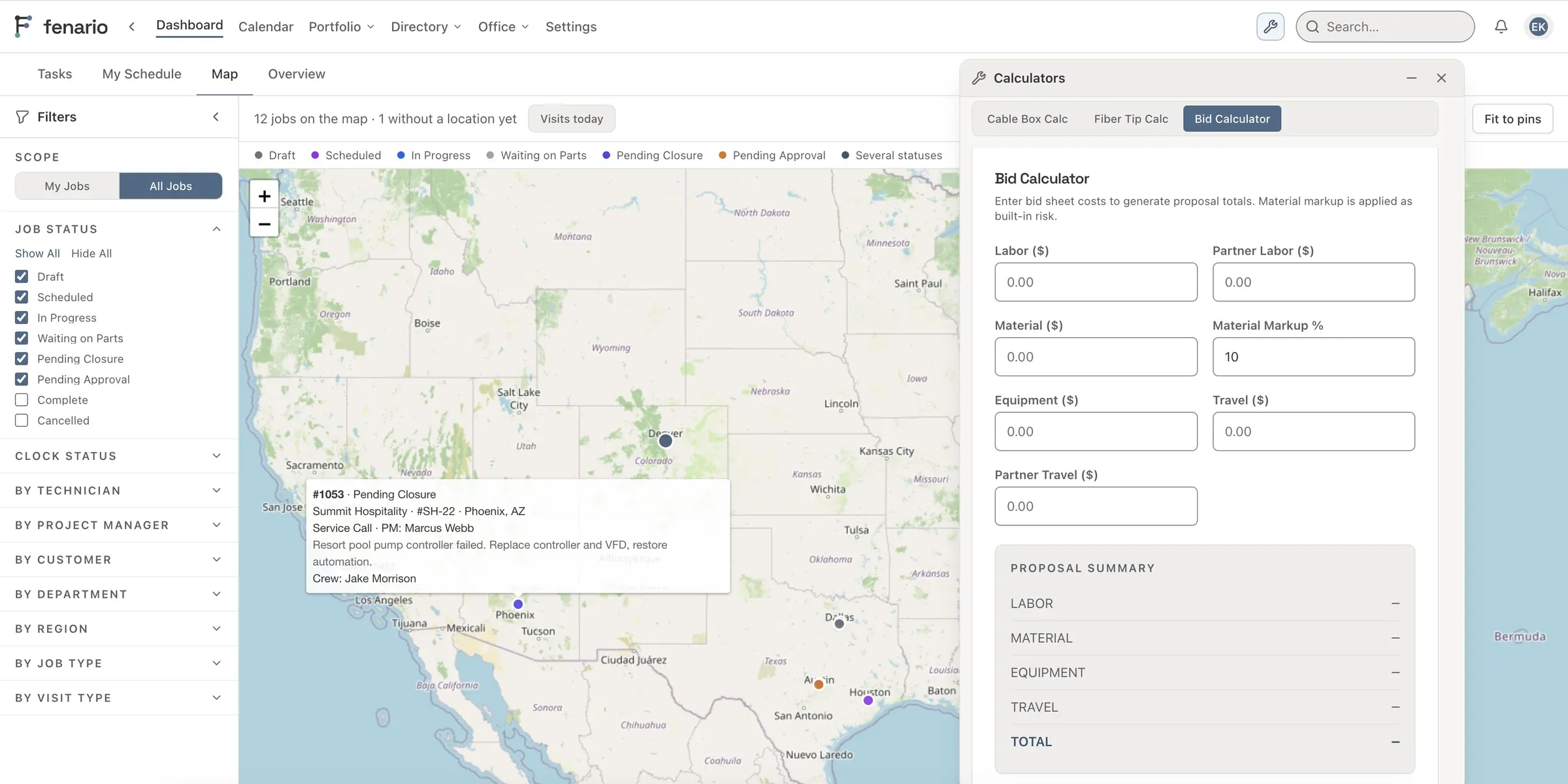
Fenario job map with filters by status, technician and customer, and the Calculators panel open

Operations

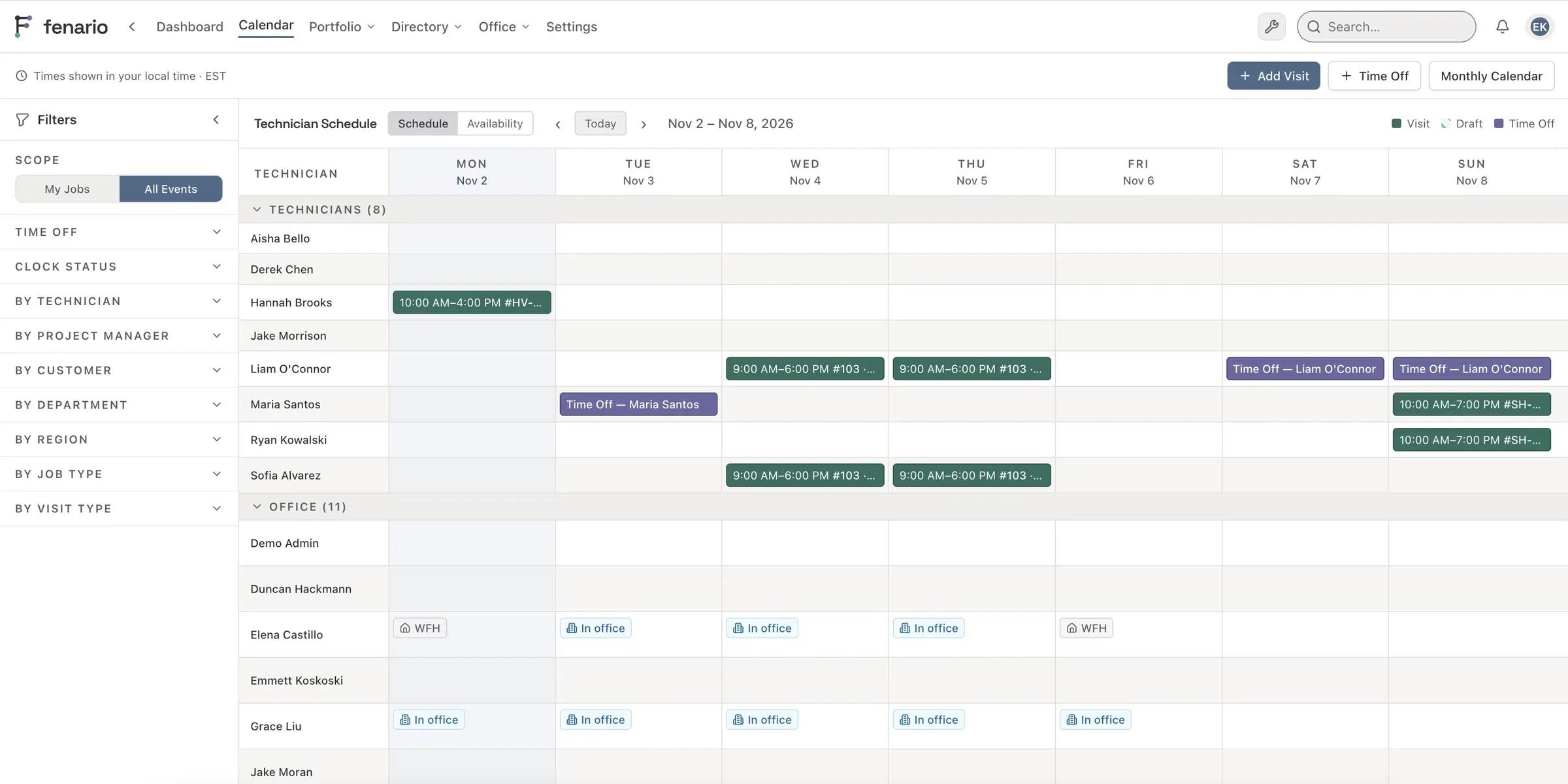
Jobs, visits and schedules

Plan the work, put crews on the calendar and track every visit from scheduled to done. Technicians see their day on a phone; the office sees everything.

  • Scheduling calendar for every crew
  • Clock in and out on the job
  • Time cards with approvals
Fenario technician schedule: a week of visits and time off for each technician and office staff

Purchasing and pricing

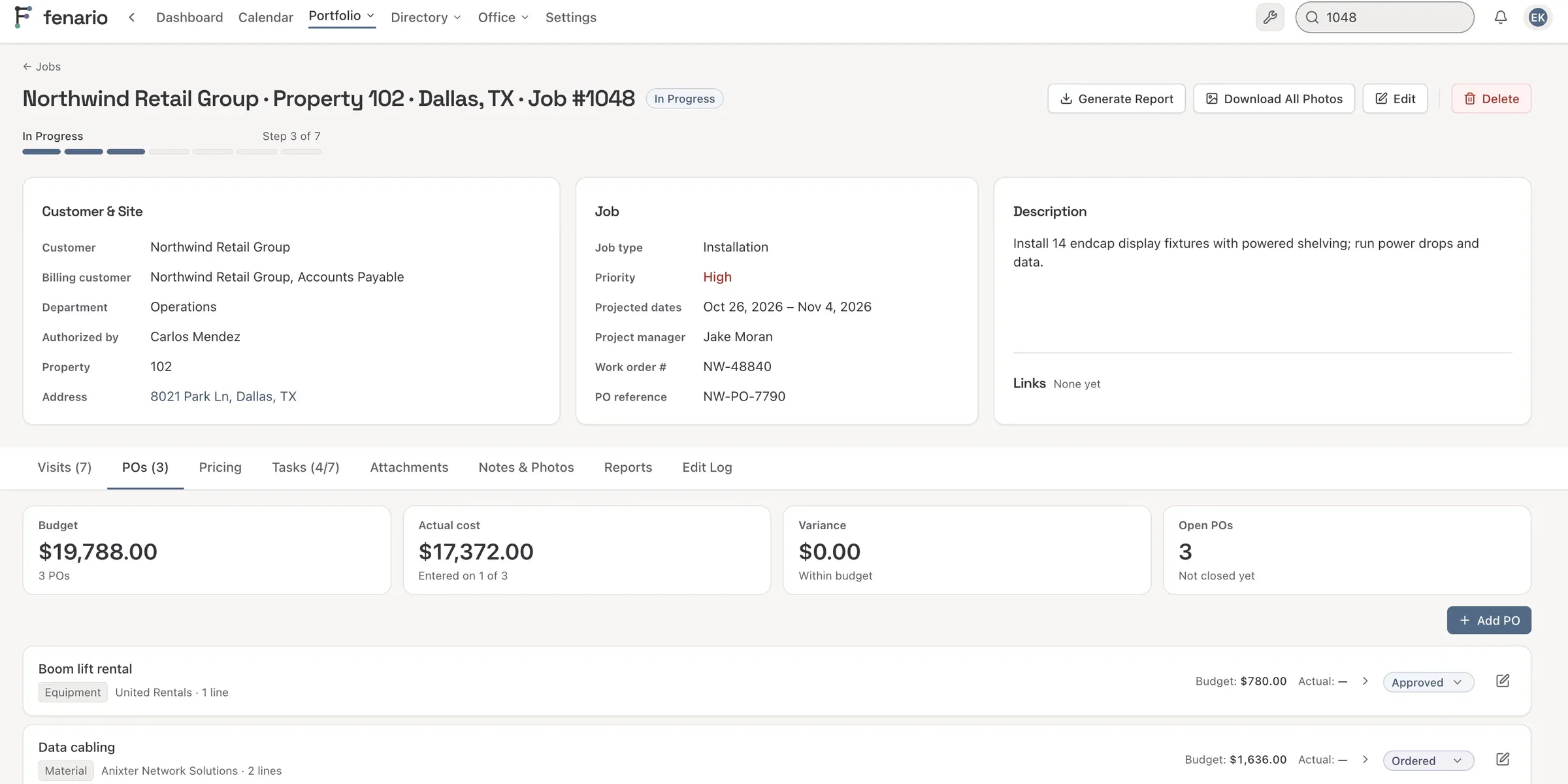
Know what a job costs while it's still running

Pricing sheets, purchase orders and budgets live on the job, so actual cost sits next to the budget from day one, not after the invoice.

  • Pricing sheets with your own cost categories
  • Purchase orders tied to each job
  • Budget against actual, by category
A Fenario job page with budget, actual cost and variance, and the job's purchase orders

Tasks and checklists

Every job type follows its own steps

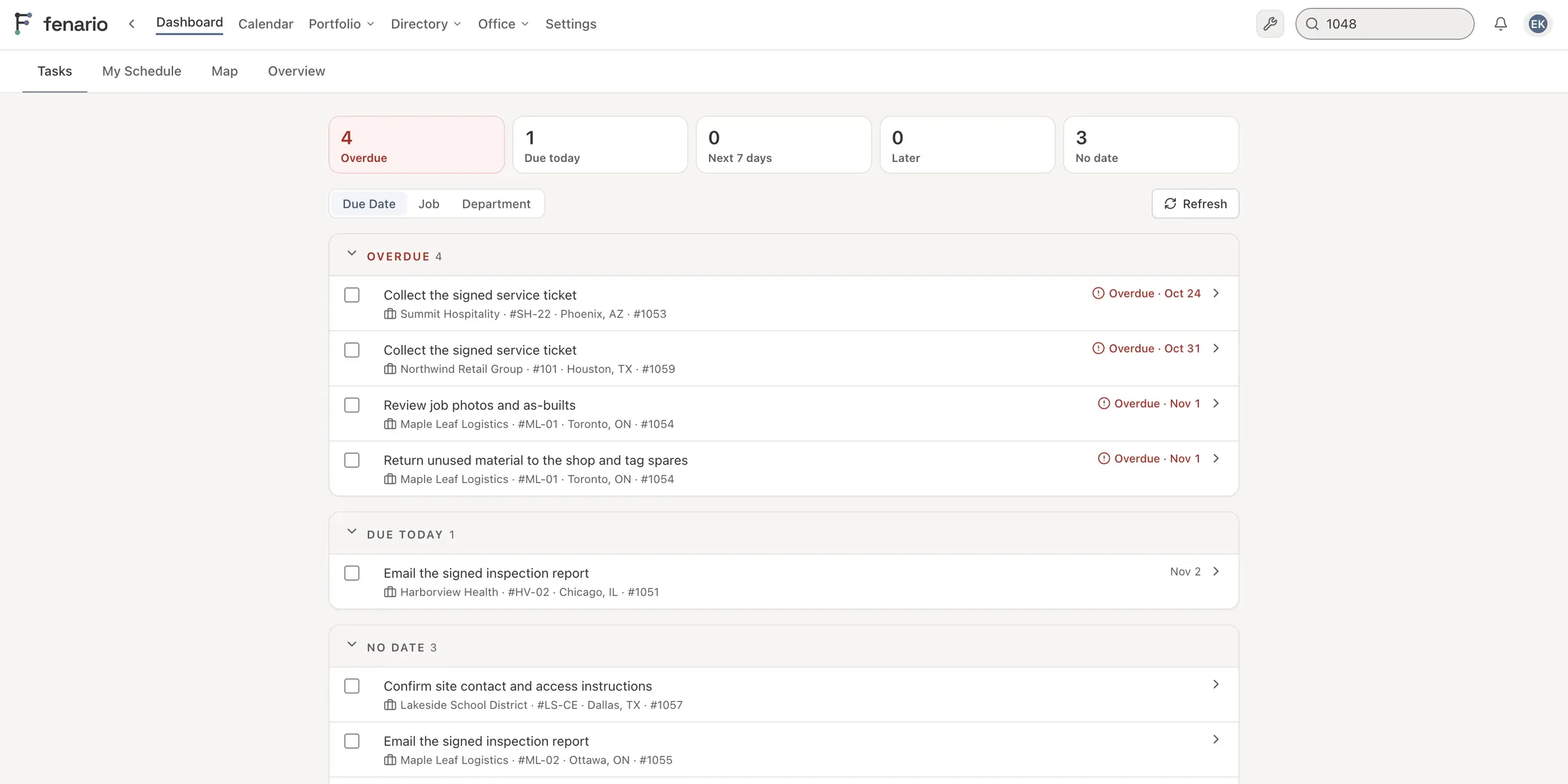
You set the statuses for each type of job and the tasks that go with each step. A job moves on once its tasks are done, and everyone sees what's theirs to do on My Tasks.

  • Your own statuses and steps for each job type
  • Checklists on jobs, visits and purchase orders
  • Tasks that show up a set number of days before the work
Fenario My Tasks: tasks grouped into overdue, due today and no date, each linked to its job

Inside the portal

The parts your team uses every day

  • Works in the field

    Technicians run their day from a phone: clock in at the job, add photos and get notified when something changes.

  • Time cards

    Hours come from clock-ins on the job, then go through approval before payroll.

  • Roles and permissions

    Decide who sees pay rates, approves hours or changes settings.

  • Proposals

    A job's pricing sheet becomes a proposal PDF with your name on it, priced in a second currency if you need one.

  • Certifications and HR

    Certifications with expiry reminders to the employee, their manager and HR, plus reviews, coaching notes and time off.

  • Job map

    See where all your jobs are on one map.

Demo

See it in action

A short walk through a job, from the first schedule to the last time card.

Tell us how your work runs today.

We'll set up a call and show you what we'd build.